
Trading journal for US stocks and ETFs
A free trading journal with an AI quant on paid plans.
Tag each trade and review it on the chart, then let Spyglass read your journal.
Import any CSV or Excel (.xlsx) file. Guides for Interactive Brokers, Webull, tastytrade, moomoo, Schwab, Robinhood and Fidelity.
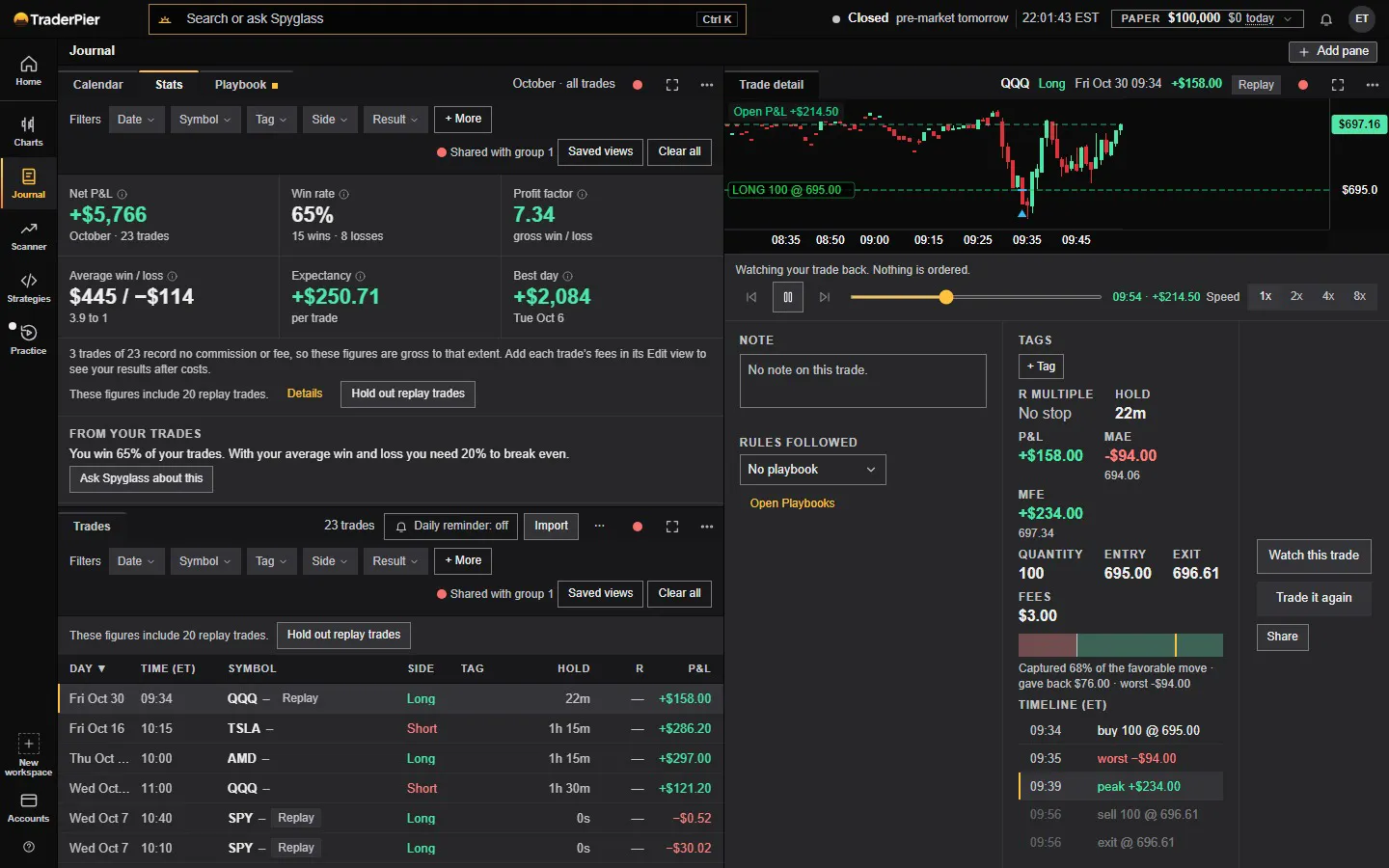
Your journal
See what's working and what isn't.
Find out which setups actually make you money.
On paid plans, Spyglass, the AI quant on your desk, turns your worst setup into a rule to test.
Getting started
Import your trades from any broker that exports a CSV.
No more manual entry. Import thousands of trades in seconds.
Trade replay
Replay your recent trades. Then try it again.
Replay 3 trades a day from the last 30 weekdays, bar by bar, and see where each went right or wrong.
Know which setups to stop trading.
Upgrade to see how far each trade went for and against you, and which setups make you money.
Questions
Before you import.
Is it really free?
Yes. Import your trades, see your stats and replay 3 trades a day from the last 30 weekdays for $0. No card required.
Does it connect to my broker?
No. Download your trade history from your broker as a CSV and import it. Each row should be one fill, with the time, symbol, side, quantity and price.
Which plans include Spyglass?
Trader and Quant.
Can I bring my trading spreadsheet?
Yes. Save it as a CSV with one row per fill, the same as a broker export, and import it.
Replay your last trade tonight.
No card required.
SPY, Nov 17 · a long played back from the journal, on a test account