
From backtest to live in a few steps.
Start from a built-in strategy or write your own. When the backtest holds up, press Deploy.
Build
No code needed.
Pick a strategy and trade it on any symbol in minutes. Have your own idea? Describe it to Spyglass, the AI quant that works on your chart, and it builds it, then deploy that same code live.
Test
Most backtests lie. Yours won’t.
Before you go live, walk-forward test the strategy on data it never saw.
See backtesting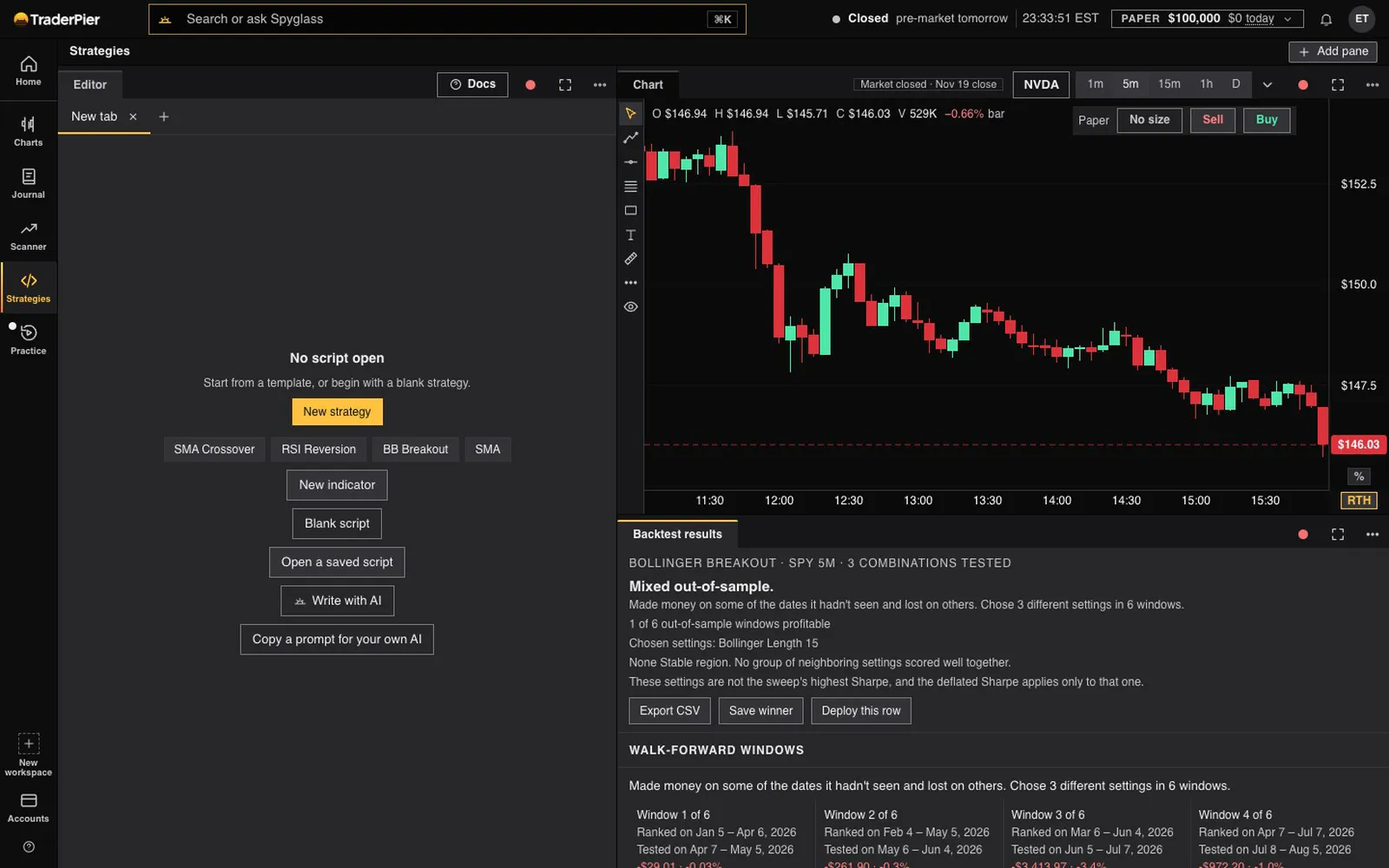
Deploy
Paper first. Live when you’re ready.
Run a strategy on paper against the live market for free. Live trading is on the Quant plan with a connected broker, and your strategy trades while TraderPier is open in your browser, with risk controls built in.
See plansJournal
See why it lost.
All of its trades go straight to your journal. Replay any of them bar by bar and see exactly where it went wrong.
See the journalDead Man’s Switch
Your connection drops. Your position gets closed.
On the Quant plan, the Dead Man’s Switch closes your position if your browser stops responding.
Questions
Do I have to write code?
No. The built-in strategies backtest and deploy as they are. For your own rules, tell Spyglass what they are or open the code yourself.
Which brokers can I trade through?
Any supported broker, for US stocks and ETFs, on the Quant plan. You connect one in Accounts with its API key.
Does my computer need to stay on?
Yes, with the TraderPier tab open. Paper and live strategies both run in that tab.
Which plans include Spyglass?
Trader and Quant. Trader includes about 300 Spyglass messages a month, up to 30 a day, and Quant about 700, up to 75 a day.
Can I run a strategy from my phone?
No. Deploy and run strategies from a computer. A phone browser pauses background tabs.