
Test a strategy before you trust it.

Paste your strategy and backtest it in your browser, then see every trade it took on the chart.
Backtest an examplePaste a strategyOne backtest a day without an account
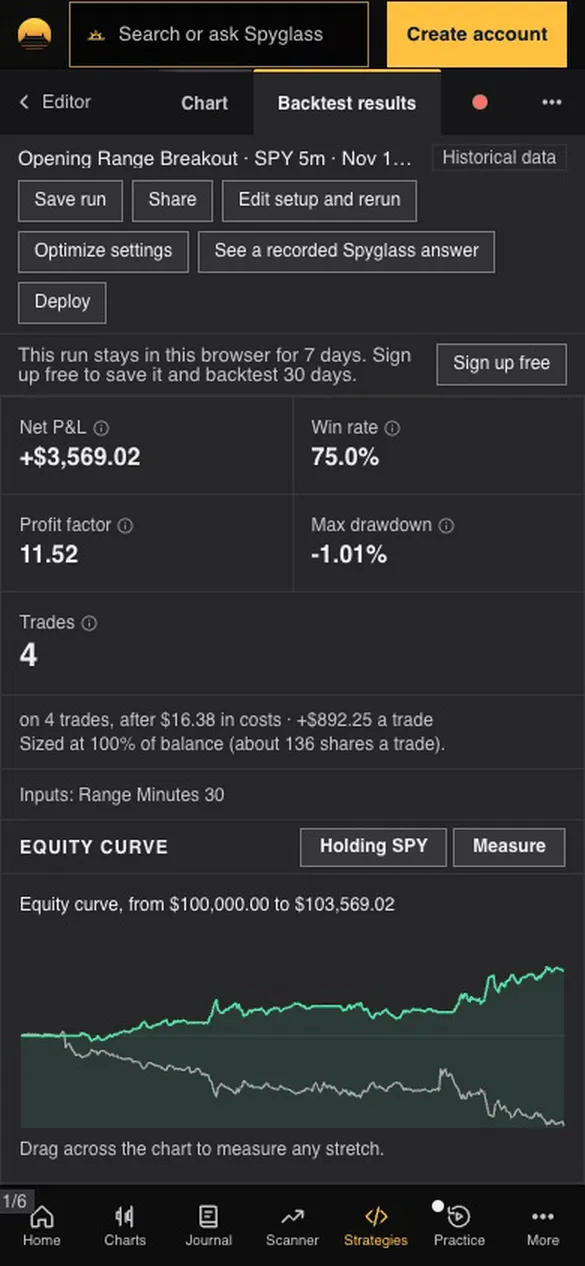
The Opening Range Breakout example run on SPY, 5-minute bars: the result card with its max drawdown, and the equity curve from $100,000 next to a line for just holding SPY.
The example run's result, and its equity curve next to just holding SPY.
SMA Crossover pasted into the Editor and run on SPY, 15-minute bars ยท backtested with no account

Read the equity curve and the drawdown.

The equity chart shows how the strategy’s balance moved over the run and how far it fell from its peak.
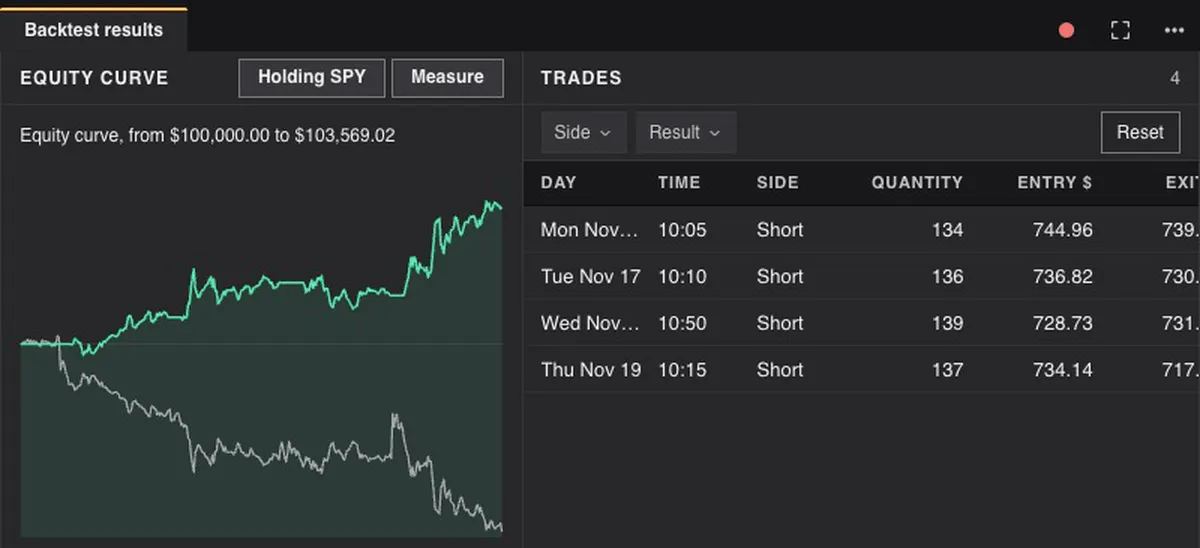
The same Opening Range Breakout run: the max drawdown on the result card, and the equity curve from $100,000 next to a line for just holding SPY.The equity chart of the same Opening Range Breakout run: the balance from $100,000 next to a line for just holding SPY, with the run's trades listed beside it.
The same run, next to what just holding SPY did.

Questions

What can I paste?

A strategy written for TraderPier. Open a built-in strategy in the Editor to see how one is written, or on Trader and Quant tell Spyglass, the AI quant in the app, what yours does and it writes one.

Do I need an account?

No. Without one you get one backtest a day, and nothing is saved. A free account backtests 30 days and saves your runs.

Can I test more than one setting?

Yes, on a paid plan. Optimize settings tests every variation at once and checks the best one on dates it wasn’t tuned on. More on the backtesting page.

Test it before you trade it.

One backtest a day without an account.